Production & filming
Teleprompter: how it works and how to use it
Memorizing your text freezes anyone, and reading off paper pulls your eyes away. A teleprompter solves both: you read the whole script while looking straight into the lens — and to the viewer it looks like you're talking right to them, no cheat sheet.
~9 min read
1. How it works (the glass trick)
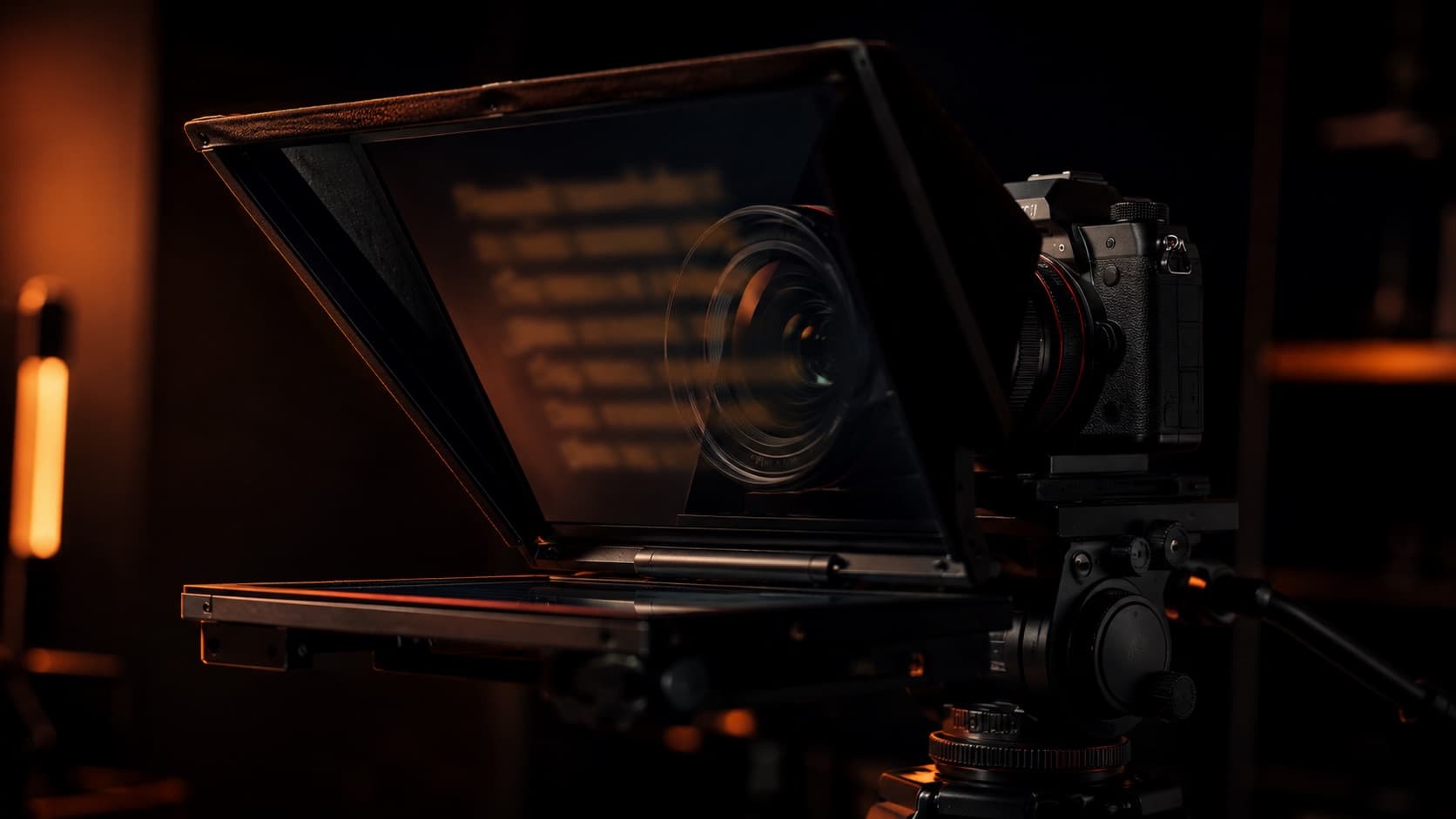
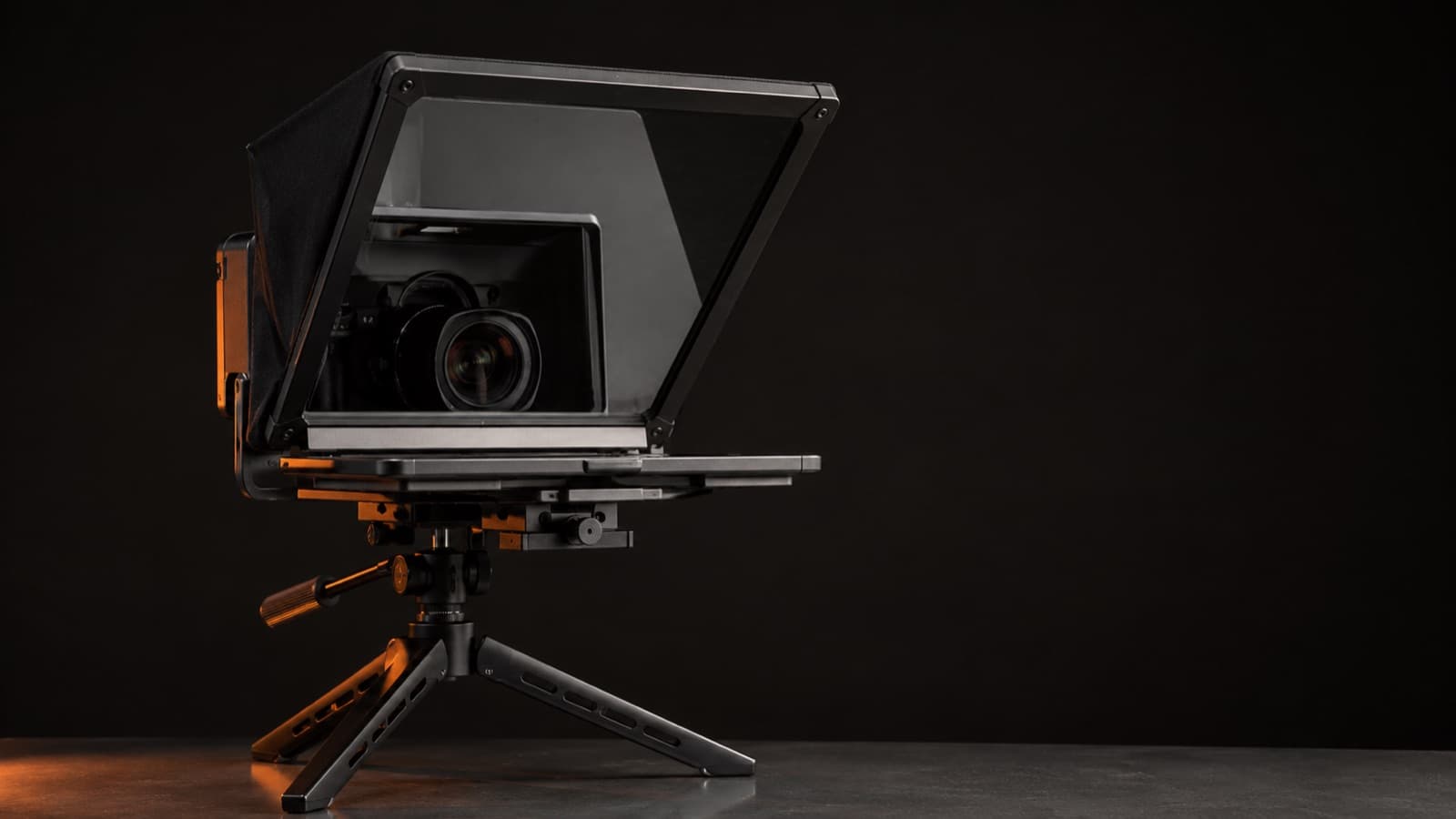
A teleprompter shows your text on a screen and reflects that text onto a special piece of glass tilted at 45° right in front of the lens. You read the reflection; the camera shoots through the glass.
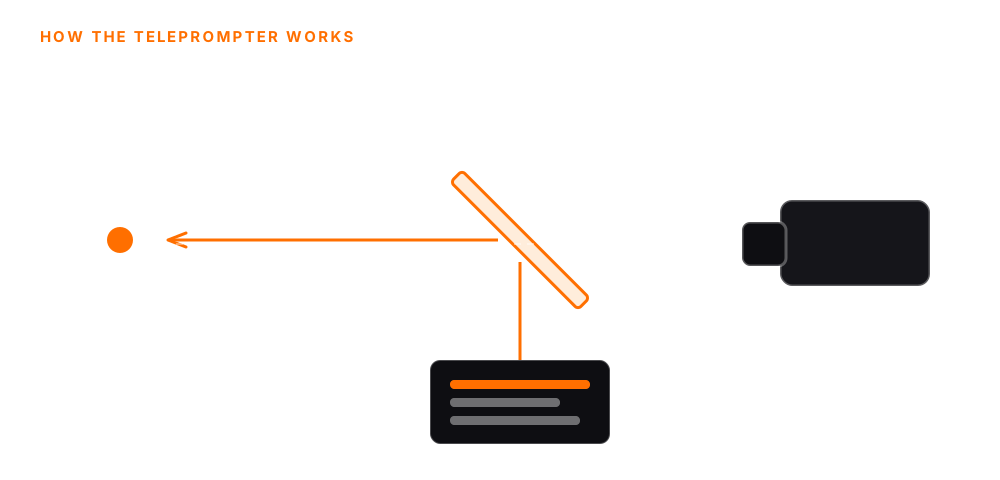
The secret is the beam-splitter glass (a two-way mirror, ~70/30): it reflects the text toward you and lets the camera see clean from the other side. A regular mirror won't work — it's one-way. Good glass has an anti-reflective coating so it won't create a “ghost” (double image); cheap glass ghosts and softens the picture.
2. The benefit: looking straight into the lens
Because the text floats over the lens, your eyeline IS the lens. To the viewer, that reads as eye contact and confidence — the biggest difference between “recorded for the channel” and “reading off a cheat sheet to the side.” It's the same principle as looking at the lens, not the screen — only without having to memorize anything.
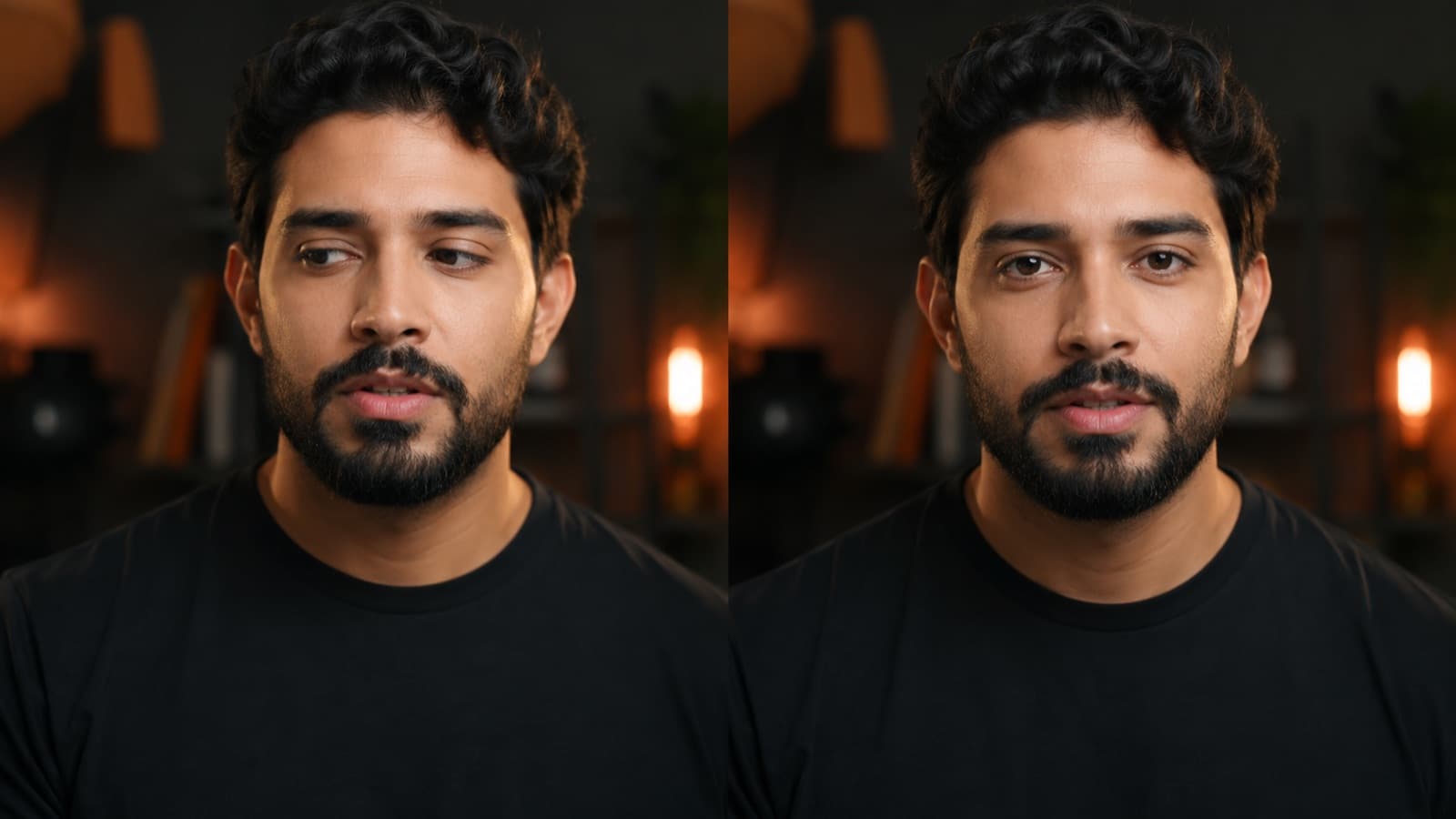
- Kills the reading tells — eyes darting to the side, head down, that lost look off-frame.
- Protects long scripts — intros, sponsor reads, course modules, technical content — you hit every point in order, without memorizing.
- Fewer takes, faster recording — you don't redo a take because you forgot a line. More finished video per hour — pure gold for a solo operator.
3. How to read without looking like you're reading
- Pacing — aim for ~120–140 words per minute — a touch under loose conversation, because reading with emphasis and pauses is naturally slower. Keep the scroll a little SLOWER than feels right — chasing the text is the #1 cause of the “robot.”
- Voice sync — if your app/device has it (Elgato Prompter, PromptSmart, BIGVU), the text scrolls at YOUR pace and pauses when you pause — you never chase the screen.
- Read in blocks — “grab” whole phrases at a glance, not word by word — that's what stops the side-to-side eye flicker.
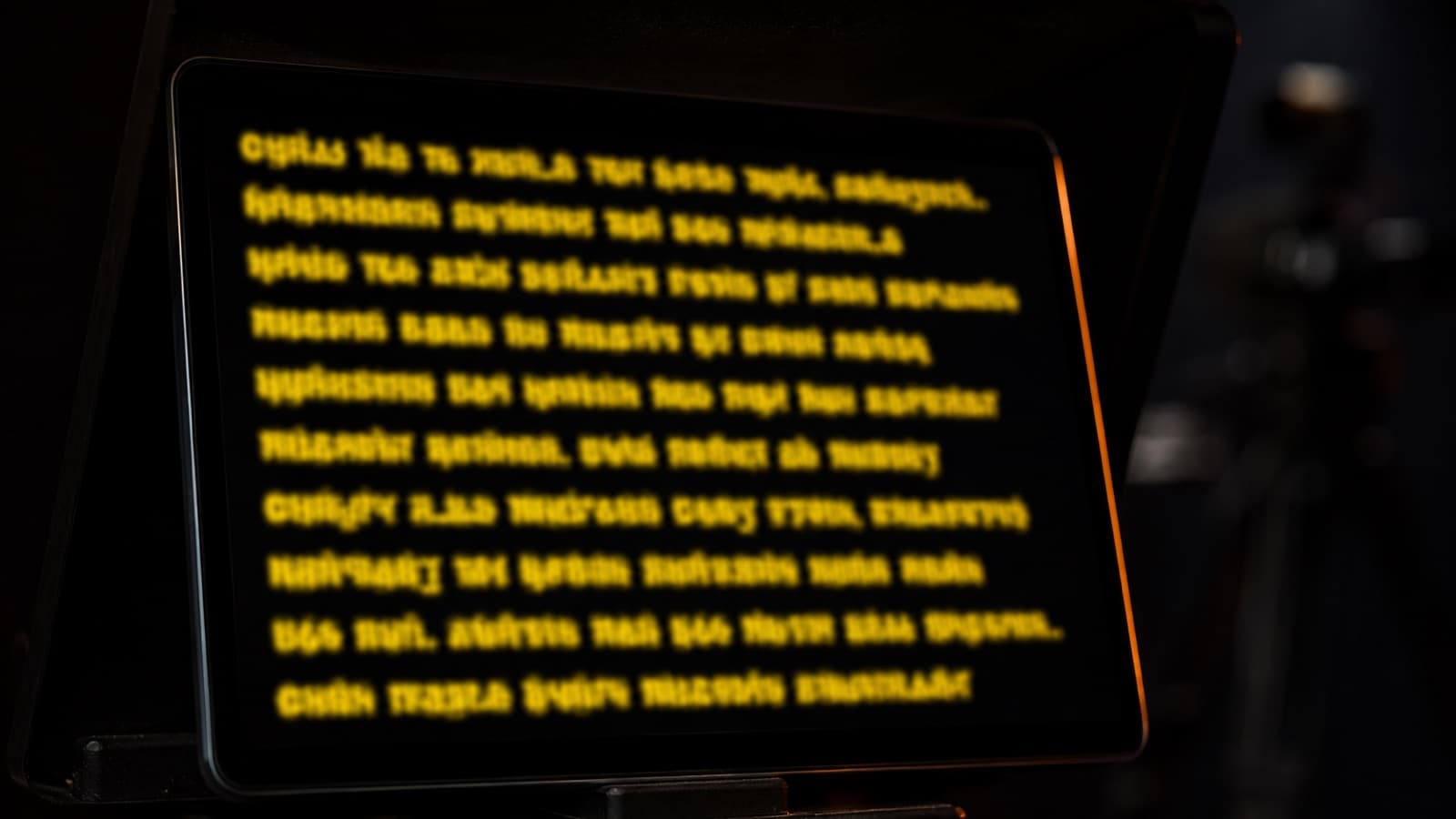
- Format the text — a big font (the farther the screen, the bigger — on a monitor at ~6 ft, around 48pt; the bigger it is, the less your eyes travel), high contrast (the classic yellow on black), ~8–10 words per line. Leave a blank line between paragraphs: it becomes your breath mark. Write the way you talk.
- Rehearse — read it out loud a few times to find the flow; drill 30–60s focusing on ONE thing at a time (pacing → eyeline → energy).
None of this replaces a good script — the teleprompter delivers the words, but it's the script that decides whether they land. And opening with the point still holds: it's the foundation of retention.
4. The DIY option: your phone becomes a teleprompter
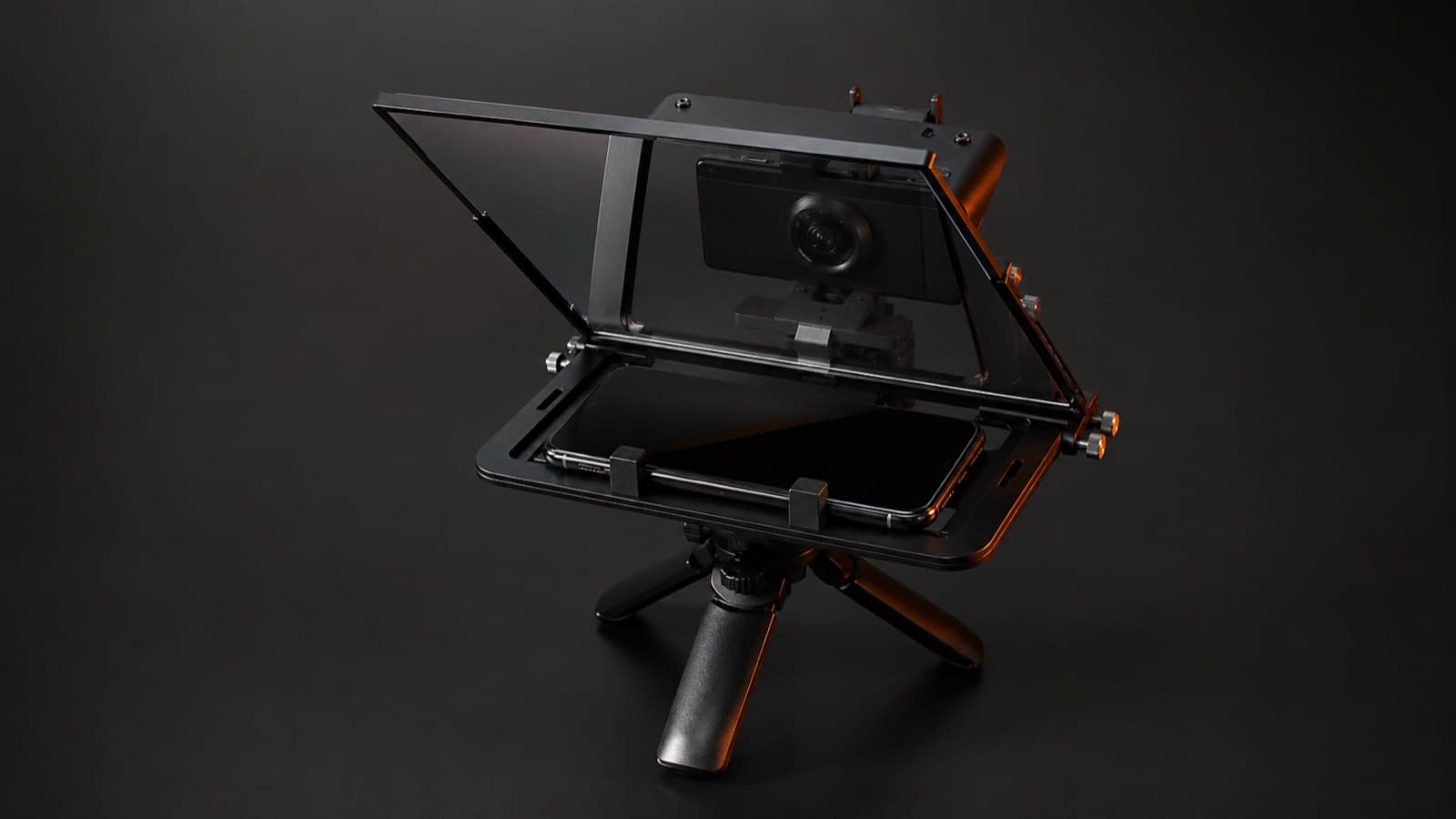
- Free app + cheap rig — a free app (Parrot Teleprompter) on a simple rig that holds the phone under the lens does the job. Phone kits are cheap and sold worldwide (Amazon and local marketplaces) — search “phone teleprompter.” The entry tier runs around US$30–70 (in Brazil, ~R$150–350); check the current price in your region.
- Turn on “mirror” — the reflection in the glass is flipped, so turn on “Mirror” in the app — otherwise the text comes out backwards and unreadable.
- Use the right glass — buy beam-splitter glass / a two-way mirror. Do NOT use a regular mirror or picture-frame glass — they ghost and ruin the picture.
- DIY limits — fiddly alignment, no remote control, and glare if you skip the hood that blocks stray light. Great for social clips; a dedicated unit pays off when you record often.
5. Apps and gear
- Free app — Parrot Teleprompter (iOS/Android) — best to start with, supports mirrored text for rigs.
- App with voice sync — PromptSmart Pro (the scroll follows your voice and pauses when you pause) or Teleprompter Premium (imports PDF/txt, remote control).
- Full suite — BIGVU — teleprompter + recording + automatic captions, if you want a single workflow.
- All-in-one hardware — Elgato Prompter (a built-in 9" screen, no separate phone). Heads-up: Voice Sync (the scroll that follows your voice) requires a PC with an NVIDIA RTX 2060+ card or a Mac with Apple Silicon (M1+) — on a weak laptop that feature won't run. It runs ~US$250 abroad; in Brazil, imported, it lands well above that — check the current price before buying.
- Phone rig — Parrot Teleprompter (pocket kit, ~US$100; the Parrot Pro successor is already rolling out) or Glide Gear TMP-100 (12" glass, fits phone/tablet/DSLR) — imported.
6. Myths that cost you
- “A teleprompter makes any reading sound natural” — it fixes WHERE you look, not HOW you talk. Reading dense text still leaves the voice flat — use short bullet points and rehearse the idea.
- “Any mirror or glass will do” — no. A regular mirror reflects too much and creates a “ghost” (double image). You need beam-splitter glass (~70/30) with an anti-reflective coating — that's what lets the camera shoot clean through it.
- “Voice Sync works on any PC” — no. On the Elgato Prompter, Voice Sync requires an NVIDIA RTX 2060+ card (Windows) or a Mac with Apple Silicon (M1+). On an ordinary laptop it simply won't run.
- “The faster it scrolls, the more professional” — it's the opposite: chasing the text is what creates the “robot.” A scroll a touch slower than your instinct = a natural delivery.
Quick questions
How does a teleprompter work?
It shows your text on a screen and reflects that text onto a special piece of glass (the beam splitter, ~70/30) tilted at 45° in front of the lens. You read the reflection while the camera shoots through the glass — so your eyeline stays right on the lens, even while you read a whole script.
Can I use my phone as a teleprompter?
You can. A free app (Parrot Teleprompter is the most common, iOS/Android) on a simple rig that holds the phone under the lens does the job. Phone kits are cheap and sold worldwide. Just remember to turn on mirror mode in the app, or the text comes out reversed in the reflection.
What's the difference between a regular mirror and teleprompter glass?
A regular mirror won't do — it's one-way and reflects too much, creating a “ghost” (double image) and softening the picture. A teleprompter needs beam-splitter glass (a two-way mirror, ~70/30) with an anti-reflective coating: it reflects the text back to you and lets the camera shoot clean from the other side.
How do I read off a teleprompter without sounding like a robot?
Aim for ~120–140 words per minute and keep the scroll a touch slower than feels right — chasing the text is the #1 mistake. Read in blocks (whole phrases at a glance, not word by word), use a big, high-contrast font, and rehearse out loud first. Writing the way you actually talk helps a lot too.
What scroll speed should I set?
Start a little slower than your instinct tells you and dial it in by reading out loud. If your app or device has voice sync (Parrot Pro, PromptSmart, BIGVU, Elgato), even better: the text scrolls at your pace and pauses when you pause, so you never chase the screen.
Is it worth buying a hardware teleprompter, or is the phone one enough?
For social clips and occasional use, a phone rig with a free app is enough. A dedicated unit (built-in screen, remote control, a hood that blocks stray light) pays off when you record often: easier alignment, less glare and less setup time. It's a decision about volume, not about “which is better.”
Sources
- Glide Gear — The Science Behind Beam Splitter Glass — the beam-splitter glass (~70/30) and how it works.
- Abrisa Technologies — Beam Splitters for Teleprompters — why a regular mirror ghosts and the right glass doesn't.
- Teleprompter.com — Read a Teleprompter Naturally — pacing, eyeline and formatting when reading.
- Padcaster — Parrot (free teleprompter app) — the free app (iOS/Android) with a mirror mode for rigs.
- BIGVU — Best Teleprompter Apps 2026 — a comparison of teleprompter apps.
- Elgato — Prompter (official specs) — the 9" all-in-one hardware.
- Elgato — How to use Voice Sync (requirements) — Voice Sync requires an NVIDIA RTX 2060+ or Apple Silicon M1+.
Script, teleprompter and delivery are just one part of the setup — light and sound round out the recording. And when reading it all yourself stops making sense, it's worth handing the editing to a professional. You film with your own setup; the editing that gives it pacing and polish is on HEY JOE — and if you want guidance on prepping the shoot, we'll help you think it through.